> For the complete documentation index, see [llms.txt](https://docs.rh-webdesign.com/cms-bundle/llms.txt). Markdown versions of documentation pages are available by appending `.md` to page URLs; this page is available as [Markdown](https://docs.rh-webdesign.com/cms-bundle/en/blog/verwaltung/dashboard.md).

# Dashboard

Key figures, impression trends and your most important posts at a glance.

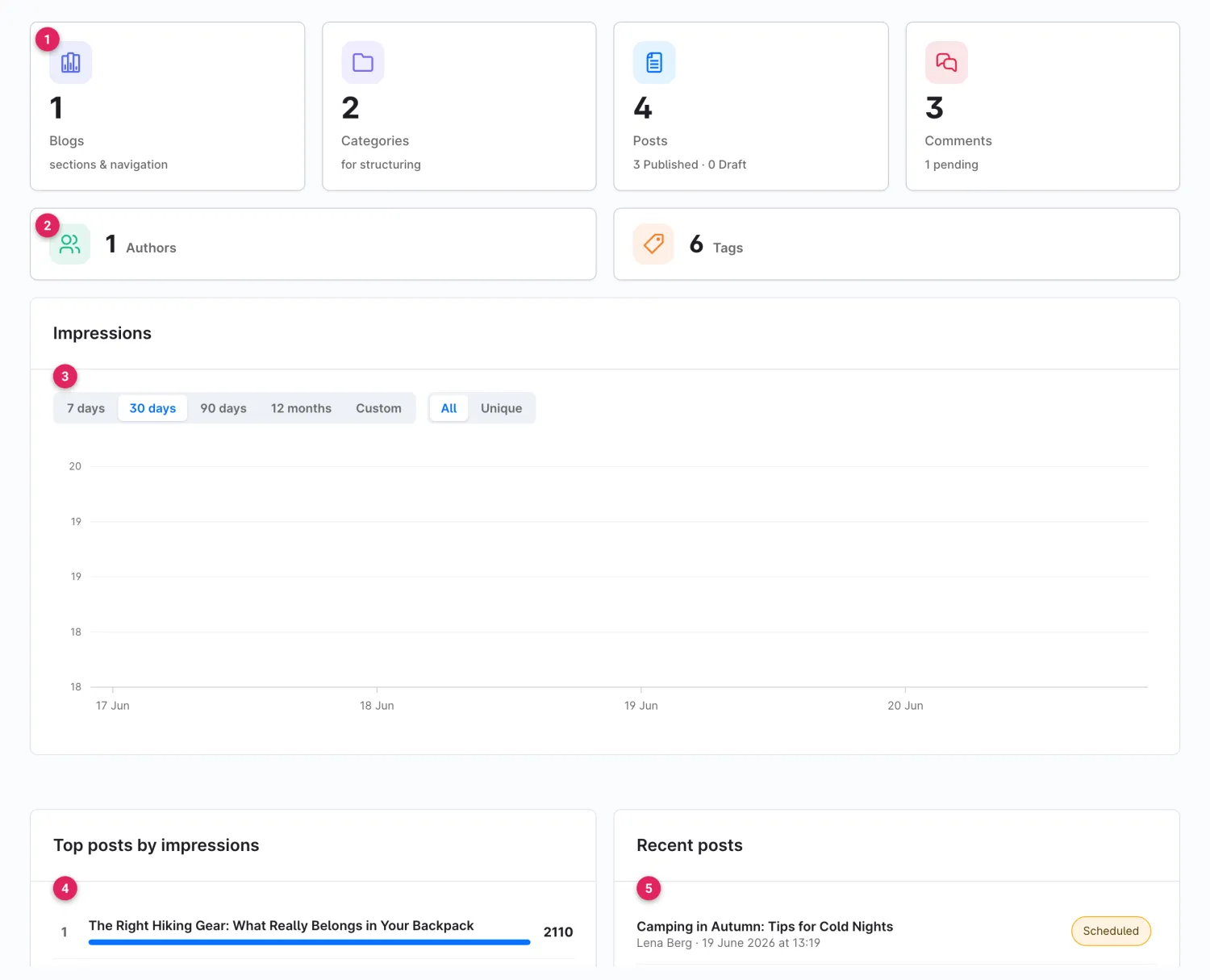
The **dashboard** is the start page of the blog module under **Catalogues → Blog**. It bundles your blog's most important key figures, shows the impression trend over time and takes you to your posts, categories or comments with a single click.

{% hint style="info" %}
Using the selector at the top right of the toolbar you can narrow the entire dashboard down to a single blog – handy if you run several blogs. The **Import** and **Export** buttons next to it open the [CSV import or export](/cms-bundle/en/blog/verwaltung/import-export.md).
{% endhint %}

<figure><img src="https://118894700-files.gitbook.io/~/files/v0/b/gitbook-x-prod.appspot.com/o/spaces%2Fhdsmo3ttoHQpDlitXnzA%2Fuploads%2Fgit-blob-776a8d908b60d0f08b951e9da9613b0b473494c6%2Fblog-dashboard.webp?alt=media" alt=""><figcaption><p>The blog dashboard with key figures, impression trend and post lists</p></figcaption></figure>

<table><thead><tr><th width="287">Area</th><th>Description</th></tr></thead><tbody><tr><td>Key-figure tiles (1)</td><td>Number of <strong>blogs</strong>, <strong>categories</strong>, <strong>posts</strong> (split into published/draft) and <strong>comments</strong> (with the number of unchecked comments). Each tile is clickable and jumps straight to the matching overview; the <strong>+</strong> lets you create a new entry right away.</td></tr><tr><td>Authors &#x26; Tags (2)</td><td>Number of <strong>authors</strong> and <strong>tags</strong> created – also clickable.</td></tr><tr><td>Impression trend (3)</td><td>Chart of post views over time. Use the buttons to choose the period (<strong>7 days</strong>, <strong>30 days</strong>, <strong>90 days</strong>, <strong>12 months</strong>, <strong>Custom</strong>) and to switch between <strong>All</strong> views and <strong>Unique</strong> views (one visitor per day).</td></tr><tr><td>Top posts by impressions (4)</td><td>The most-read posts with a views bar. The title links directly to the post editor.</td></tr><tr><td>Recent posts (5)</td><td>The most recently created posts with author, date and status label (<strong>Published</strong>, <strong>Scheduled</strong> or <strong>Draft</strong>).</td></tr></tbody></table>

{% hint style="success" %}
As long as no blog exists yet, the dashboard instead shows a starting point with the **Create blog** and **Import** buttons. How to set up your first blog is described under [Set up the blog](/cms-bundle/en/blog/blog-einrichten.md).
{% endhint %}
