> For the complete documentation index, see [llms.txt](https://docs.rh-webdesign.com/cms-bundle/llms.txt). Markdown versions of documentation pages are available by appending `.md` to page URLs; this page is available as [Markdown](https://docs.rh-webdesign.com/cms-bundle/en/blog/verwaltung/autoren.md).

# Authors

Maintain author profiles with avatar and biography and assign them to posts.

**Authors** are the writers of your posts. Each post is assigned an author; in the storefront the name, avatar and biography appear e.g. in the [author box](/cms-bundle/en/blog/elemente/autor.md). This gives your content a face and makes it more trustworthy.

<figure><img src="https://118894700-files.gitbook.io/~/files/v0/b/gitbook-x-prod.appspot.com/o/spaces%2Fhdsmo3ttoHQpDlitXnzA%2Fuploads%2Fgit-blob-cf4bbacc785140d57578a924e968ac8524654e38%2Fblog-autoren-liste.webp?alt=media" alt=""><figcaption><p>The author overview under Catalogues → Blog → Authors</p></figcaption></figure>

<table><thead><tr><th width="220">Column</th><th>Description</th></tr></thead><tbody><tr><td>Name</td><td>Name of the author. A click opens the profile for editing.</td></tr><tr><td>Email</td><td>Optional email address of the author.</td></tr><tr><td>Active</td><td>Only active authors can be assigned to posts and displayed.</td></tr><tr><td>Posts</td><td>Number of posts by this author.</td></tr><tr><td>Created at</td><td>Creation date.</td></tr></tbody></table>

## General

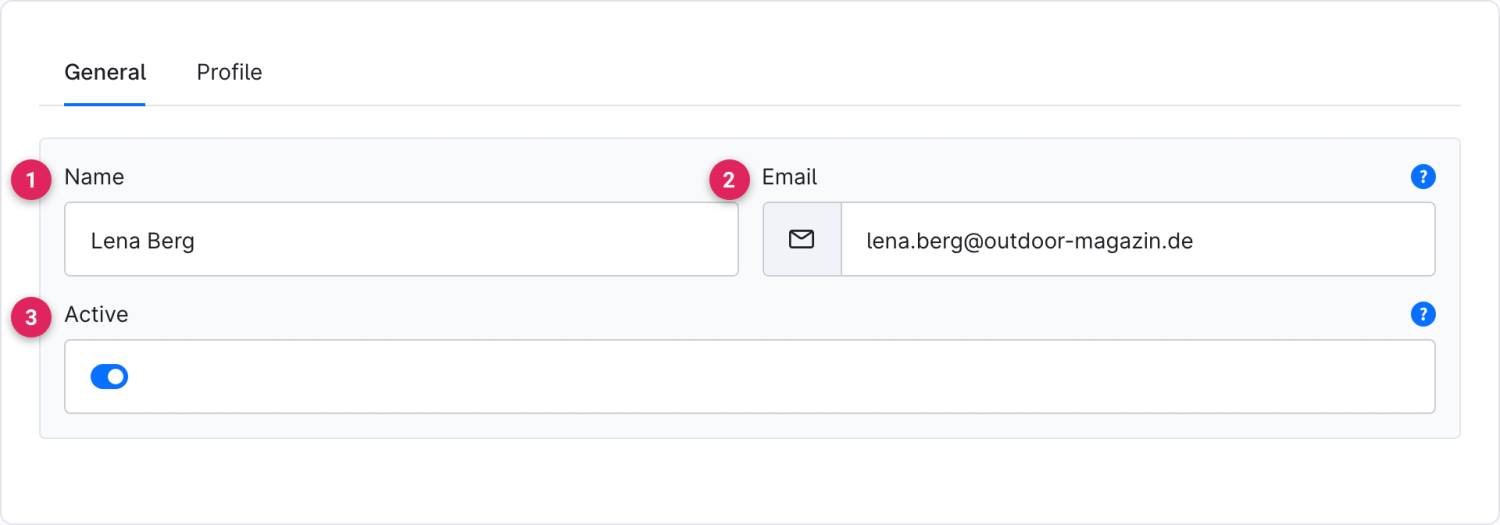
<figure><img src="https://118894700-files.gitbook.io/~/files/v0/b/gitbook-x-prod.appspot.com/o/spaces%2Fhdsmo3ttoHQpDlitXnzA%2Fuploads%2Fgit-blob-7d003e656c1bd97a56b87863be49f3e1b087f749%2Fblog-autor-allgemein.webp?alt=media" alt=""><figcaption></figcaption></figure>

<table><thead><tr><th width="287">Function</th><th>Description</th></tr></thead><tbody><tr><td>Name (1)</td><td>Full name of the author as it appears in the post.</td></tr><tr><td>Email (2)</td><td>Email address of the author (optional, only if displayed in the storefront).</td></tr><tr><td>Active (3)</td><td>Only active authors are available for assignment and displayed.</td></tr></tbody></table>

## Profile

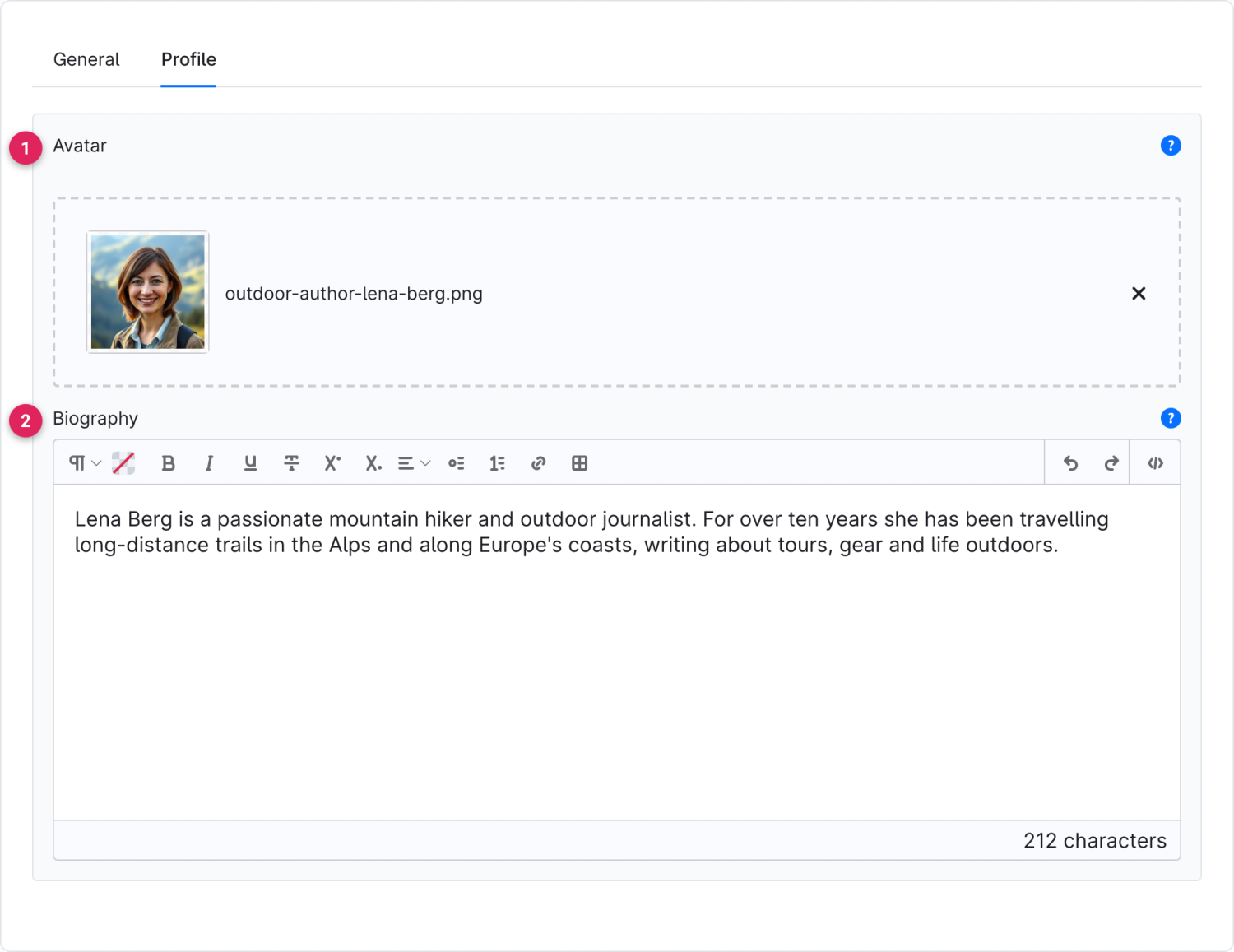
<figure><img src="https://118894700-files.gitbook.io/~/files/v0/b/gitbook-x-prod.appspot.com/o/spaces%2Fhdsmo3ttoHQpDlitXnzA%2Fuploads%2Fgit-blob-28a0f696205d8d6d111aad8698d261c32cc92d22%2Fblog-autor-profil.webp?alt=media" alt=""><figcaption></figcaption></figure>

<table><thead><tr><th width="287">Function</th><th>Description</th></tr></thead><tbody><tr><td>Avatar (1)</td><td>Profile picture of the author shown in the author box.</td></tr><tr><td>Biography (2)</td><td>Short introduction of the author for the author box.</td></tr></tbody></table>