
> For the complete documentation index, see [llms.txt](https://docs.rh-webdesign.com/cms-bundle/llms.txt). Markdown versions of documentation pages are available by appending `.md` to page URLs; this page is available as [Markdown](https://docs.rh-webdesign.com/cms-bundle/en/blog/elemente/teilen.md).

# Share post

Buttons to share the post on social networks and via link.

The **Share post** element provides buttons through which readers share the post on social networks or via link. This way good content spreads faster.

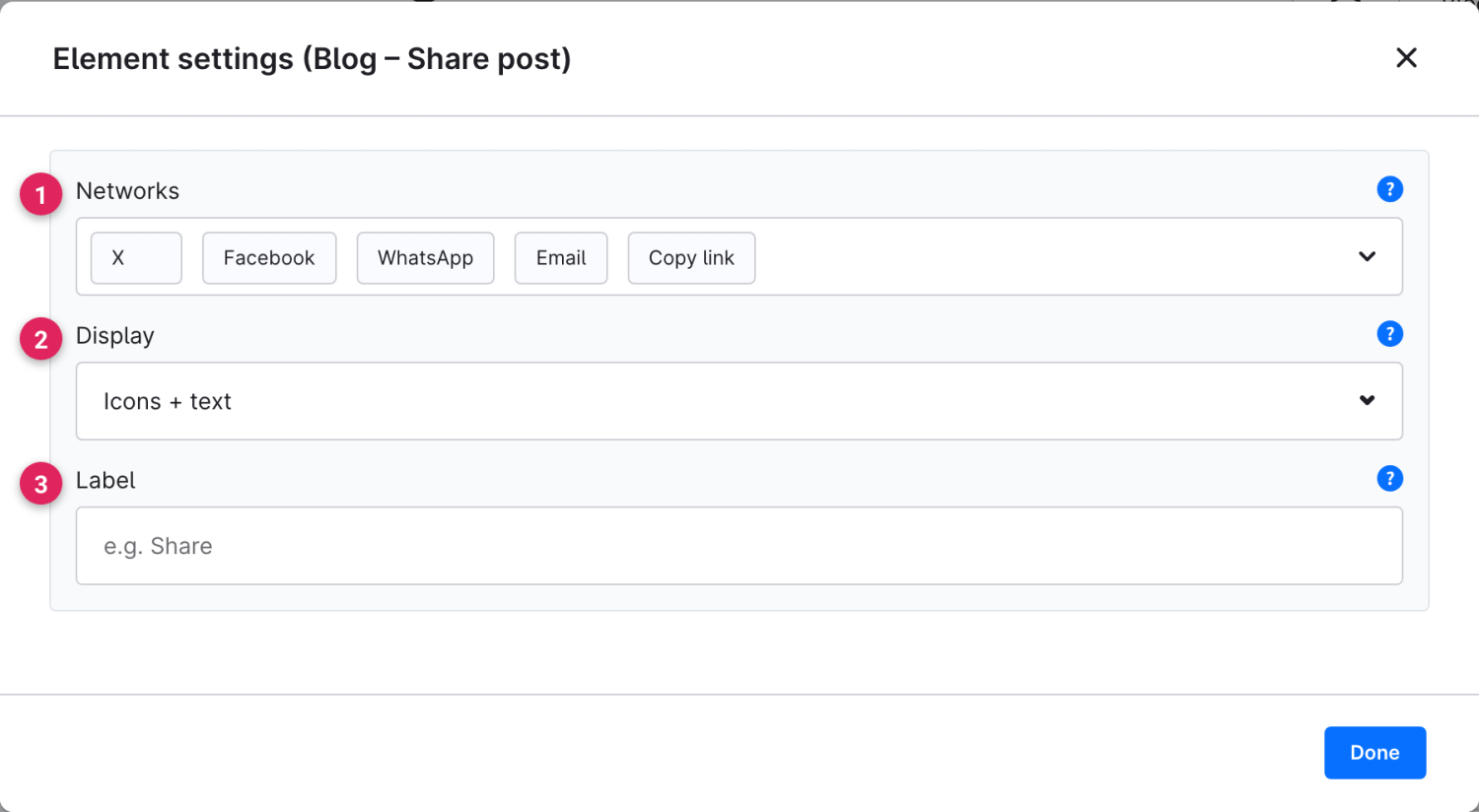
Use Shopware's **element picker** (the **Replace element** button) to add the **Share post** element at the desired position – the field outlined in red.

<figure><img src="https://118894700-files.gitbook.io/~/files/v0/b/gitbook-x-prod.appspot.com/o/spaces%2Fhdsmo3ttoHQpDlitXnzA%2Fuploads%2Fgit-blob-2ef43e2d933c9adff6e40ed9b5f6df018109ab2d%2Fblog-teilen-auswahl.webp?alt=media" alt=""><figcaption></figcaption></figure>

<figure><img src="https://118894700-files.gitbook.io/~/files/v0/b/gitbook-x-prod.appspot.com/o/spaces%2Fhdsmo3ttoHQpDlitXnzA%2Fuploads%2Fgit-blob-bdd70ed9e9e3ccf3c948ae6541b5c85658c6ab17%2Fblog-teilen-beispiel.webp?alt=media" alt=""><figcaption><p>Example in the storefront: buttons to share the post</p></figcaption></figure>

### Element settings

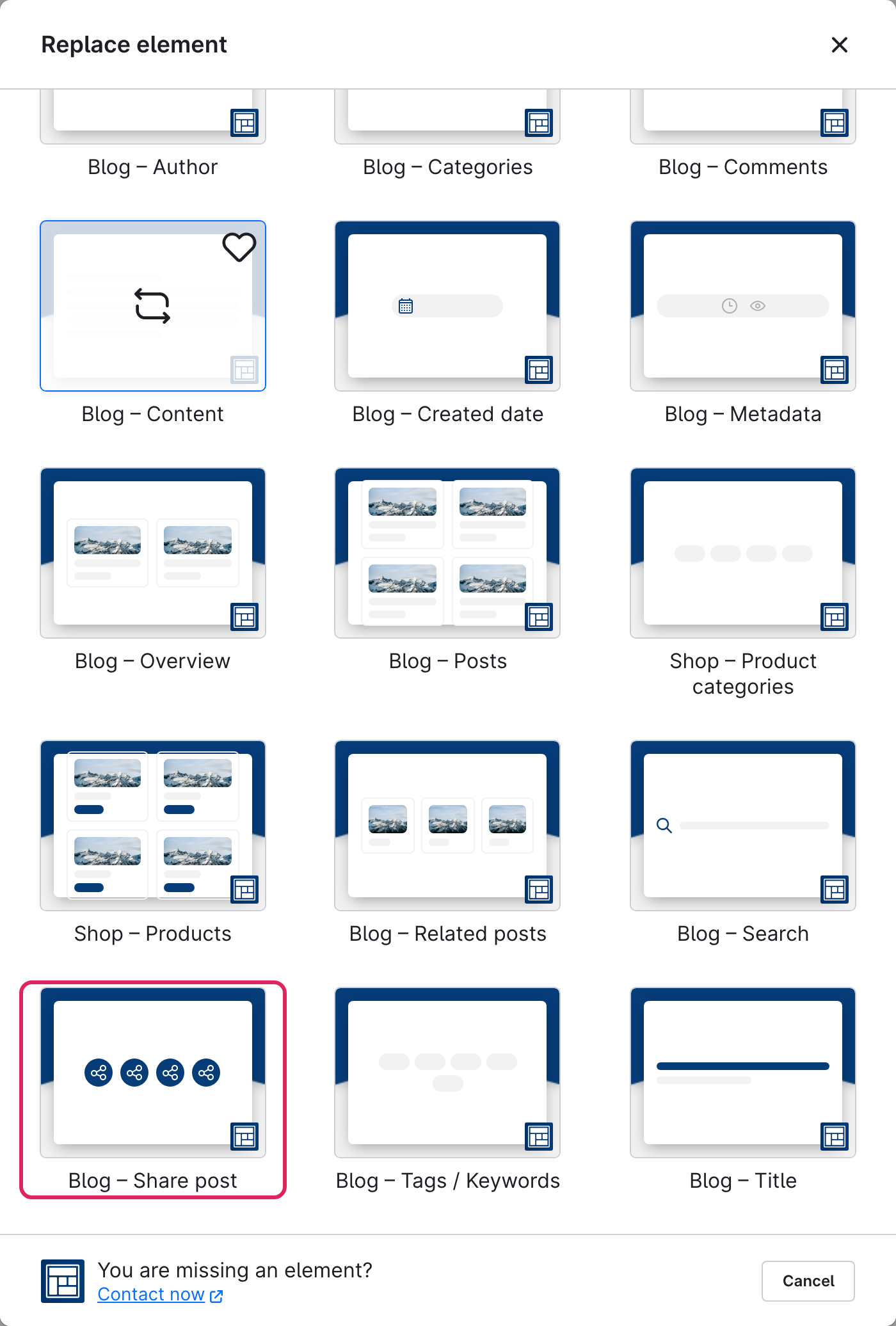
<figure><img src="https://118894700-files.gitbook.io/~/files/v0/b/gitbook-x-prod.appspot.com/o/spaces%2Fhdsmo3ttoHQpDlitXnzA%2Fuploads%2Fgit-blob-83607d7ac4becf656953adb3c277ed1a1312d534%2Fblog-teilen-einstellungen.webp?alt=media" alt=""><figcaption></figcaption></figure>

<table><thead><tr><th width="287">Function</th><th>Description</th></tr></thead><tbody><tr><td>Networks (1)</td><td>Choose the channels available for sharing: X, Facebook, LinkedIn, WhatsApp, Telegram, Threads, Pinterest, Reddit, XING and email. <strong>Copy link</strong> always works everywhere.</td></tr><tr><td>Display (2)</td><td>How the buttons look: icons only (space-saving), text only, or icons + text combined.</td></tr><tr><td>Label (3)</td><td>Optional label to the left of the buttons, e.g. "Share:". Leave empty if none should appear.</td></tr></tbody></table>