
> For the complete documentation index, see [llms.txt](https://docs.rh-webdesign.com/cms-bundle/llms.txt). Markdown versions of documentation pages are available by appending `.md` to page URLs; this page is available as [Markdown](https://docs.rh-webdesign.com/cms-bundle/en/blog/elemente/metadaten.md).

# Metadata

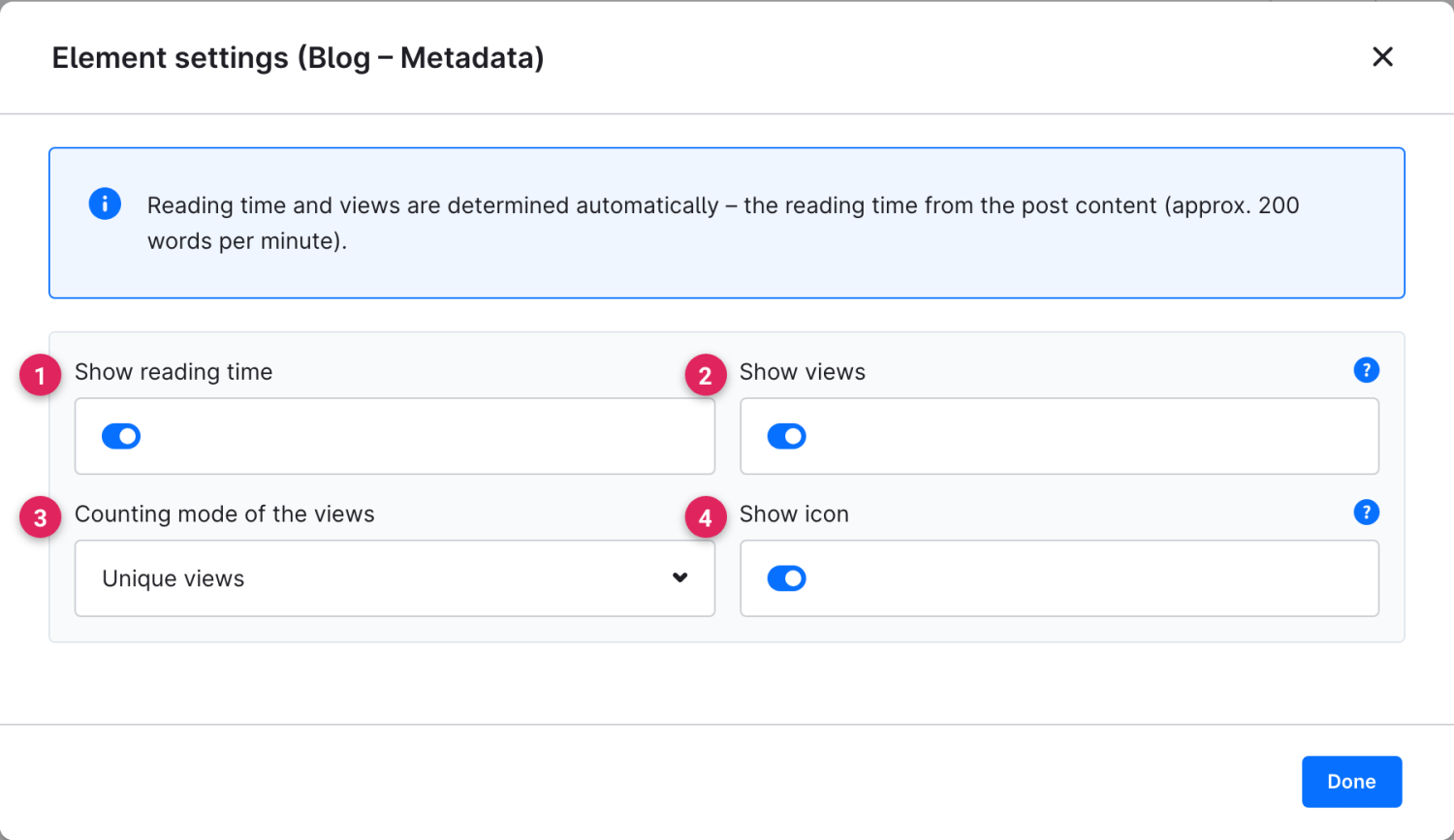
Show a post's reading time and view count compactly.

The **Metadata** element shows compact key figures about the post: the estimated reading time and the number of views – ideal right below the title.

{% hint style="info" %}
Reading time and views are determined automatically: the reading time from the post content (approx. 200 words per minute), the views from the blog's view tracking.
{% endhint %}

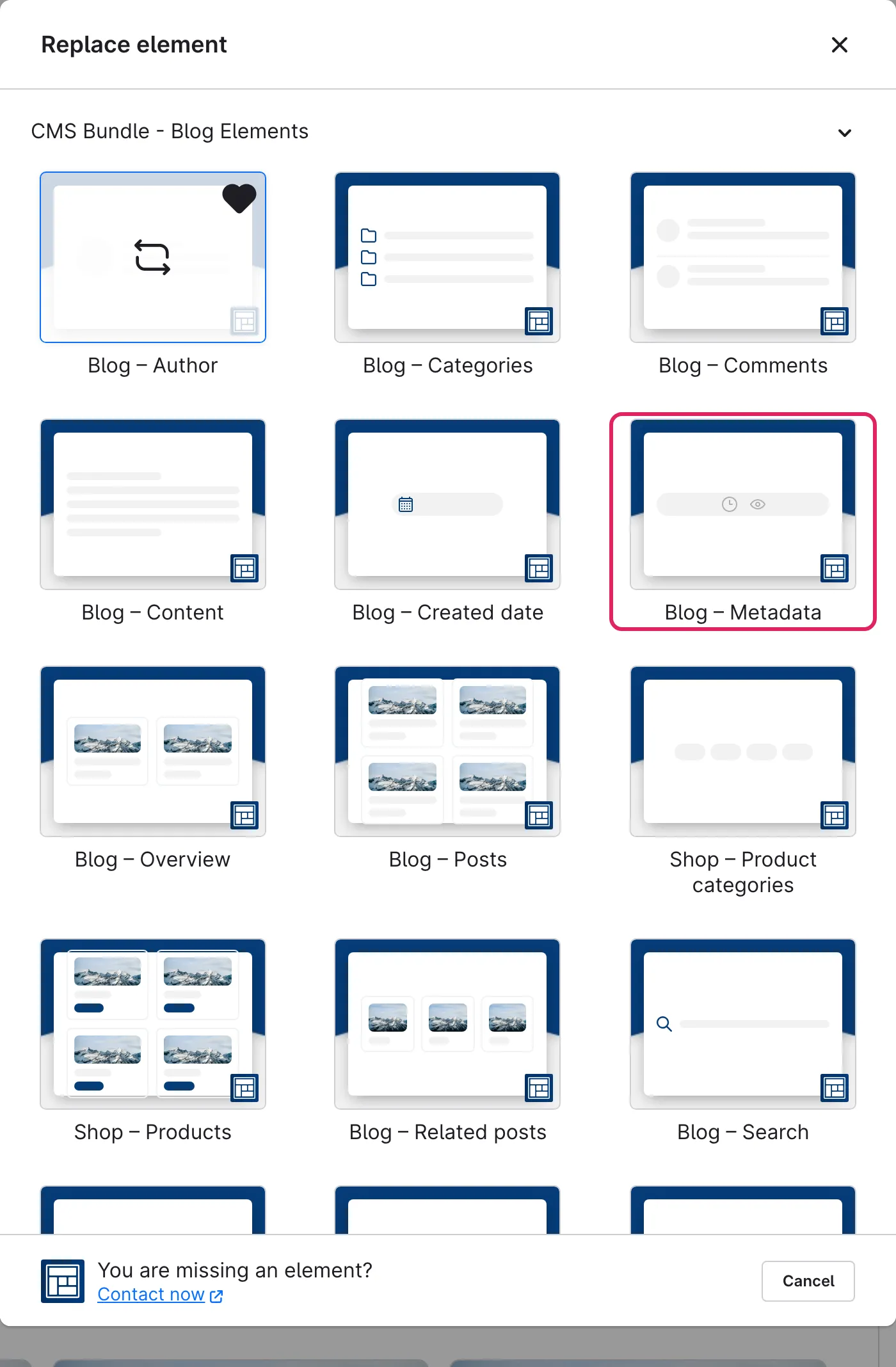
Use Shopware's **element picker** (the **Replace element** button) to add the **Metadata** element at the desired position – the field outlined in red.

<figure><img src="https://118894700-files.gitbook.io/~/files/v0/b/gitbook-x-prod.appspot.com/o/spaces%2Fhdsmo3ttoHQpDlitXnzA%2Fuploads%2Fgit-blob-21f5f4e0d3c1e555df8af9dfa2f715b0692fa191%2Fblog-metadaten-auswahl.webp?alt=media" alt=""><figcaption></figcaption></figure>

<figure><img src="https://118894700-files.gitbook.io/~/files/v0/b/gitbook-x-prod.appspot.com/o/spaces%2Fhdsmo3ttoHQpDlitXnzA%2Fuploads%2Fgit-blob-996c3b59cc59e55f1f970b0be8923966d3872e00%2Fblog-metadaten-beispiel.webp?alt=media" alt=""><figcaption><p>Example in the storefront: reading time and views side by side</p></figcaption></figure>

### Element settings

<figure><img src="https://118894700-files.gitbook.io/~/files/v0/b/gitbook-x-prod.appspot.com/o/spaces%2Fhdsmo3ttoHQpDlitXnzA%2Fuploads%2Fgit-blob-445f60bc4d2b1562184d5f147979ea8429ff922b%2Fblog-metadaten-einstellungen.webp?alt=media" alt=""><figcaption></figcaption></figure>

<table><thead><tr><th width="287">Function</th><th>Description</th></tr></thead><tbody><tr><td>Show reading time (1)</td><td>Shows the estimated reading time. If off, only the view count appears.</td></tr><tr><td>Show views (2)</td><td>Shows the number of views. If off, only the reading time appears.</td></tr><tr><td>Counting mode of the views (3)</td><td><strong>Unique views</strong> counts each visitor once, <strong>All views</strong> counts every page view (including repeat visits).</td></tr><tr><td>Show icon (4)</td><td>Shows a small icon in front of each figure.</td></tr></tbody></table>