
> For the complete documentation index, see [llms.txt](https://docs.rh-webdesign.com/cms-bundle/llms.txt). Markdown versions of documentation pages are available by appending `.md` to page URLs; this page is available as [Markdown](https://docs.rh-webdesign.com/cms-bundle/en/blog/elemente/inhaltsverzeichnis.md).

# Table of contents

Automatically build a table of contents from the post's headings.

The **Table of contents** element automatically builds an index from the post's headings. With one click your readers jump straight to the desired section – especially helpful for long guides and travel reports.

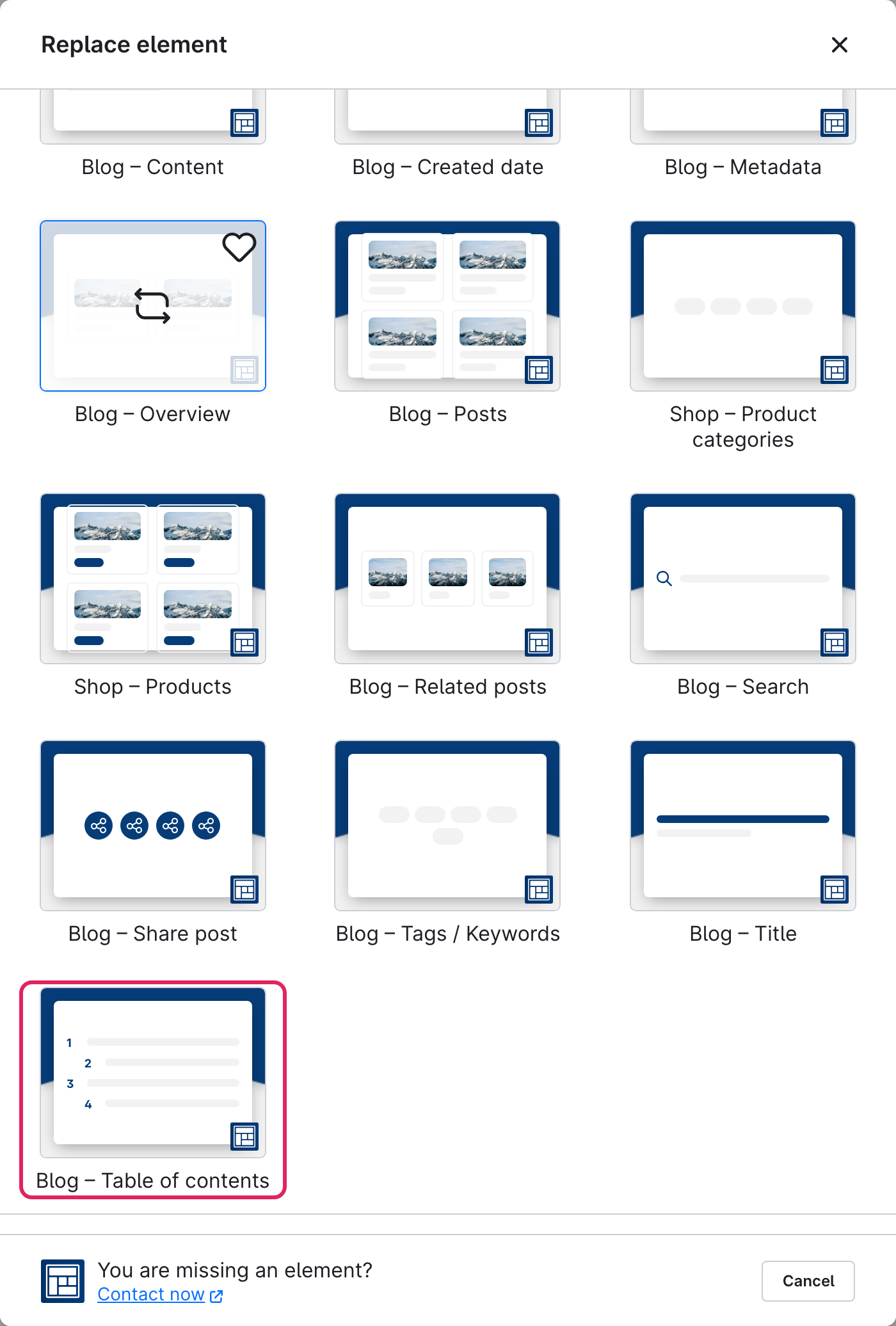
Use Shopware's **element picker** (the **Replace element** button) to add the **Table of contents** element at the desired position – the field outlined in red.

<figure><img src="https://118894700-files.gitbook.io/~/files/v0/b/gitbook-x-prod.appspot.com/o/spaces%2Fhdsmo3ttoHQpDlitXnzA%2Fuploads%2Fgit-blob-420af64e59c848834e35433cc9a78063e824dc52%2Fblog-inhaltsverzeichnis-auswahl.webp?alt=media" alt=""><figcaption></figcaption></figure>

<figure><img src="https://118894700-files.gitbook.io/~/files/v0/b/gitbook-x-prod.appspot.com/o/spaces%2Fhdsmo3ttoHQpDlitXnzA%2Fuploads%2Fgit-blob-fe37acbd1f9e534a5bc409f18ff9581779c85997%2Fblog-inhaltsverzeichnis-beispiel.webp?alt=media" alt=""><figcaption><p>Example in the storefront: automatically generated table of contents</p></figcaption></figure>

### General

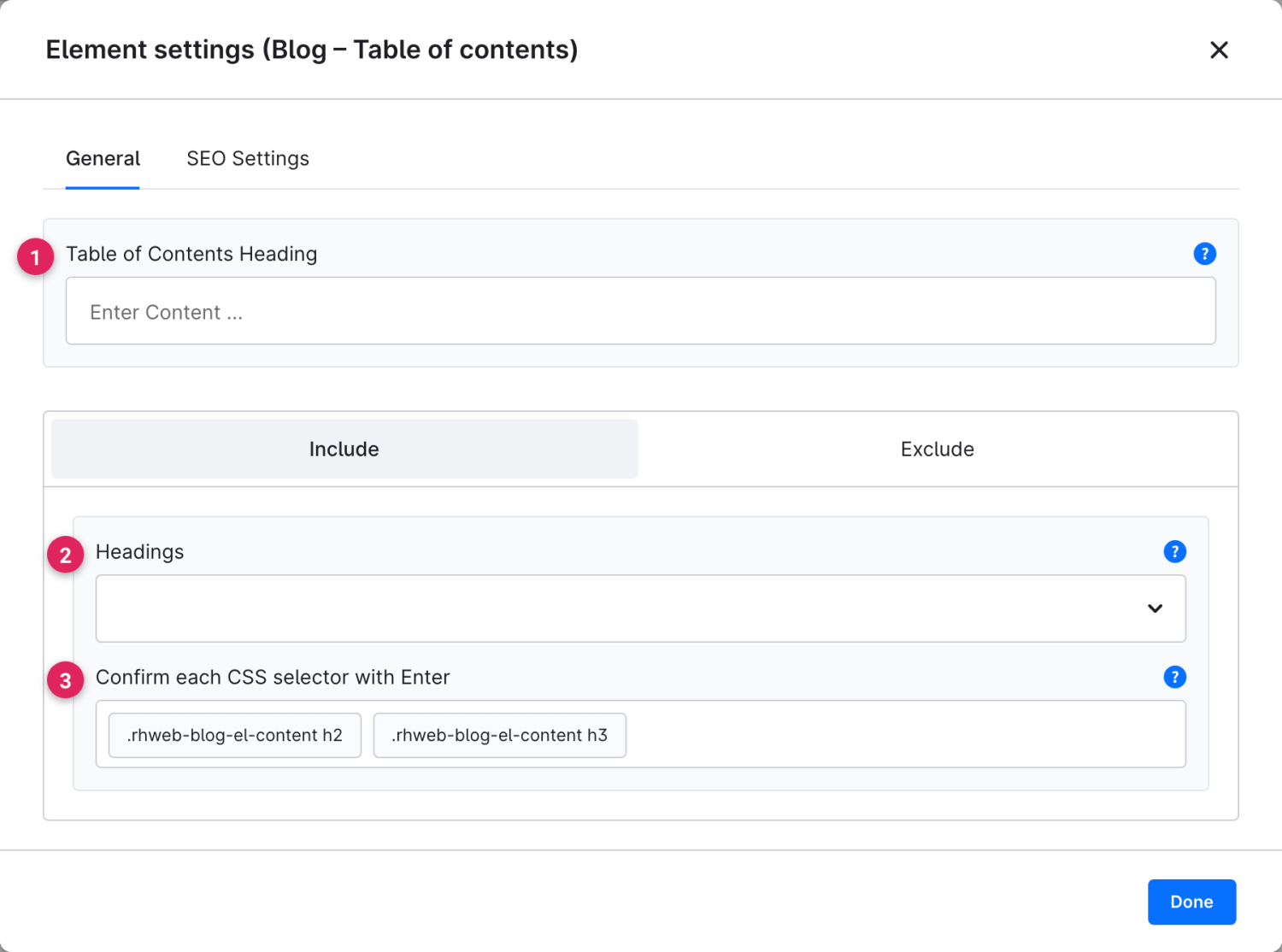
Use the **Include** and **Exclude** tabs to control which headings are added to the table of contents.

<figure><img src="https://118894700-files.gitbook.io/~/files/v0/b/gitbook-x-prod.appspot.com/o/spaces%2Fhdsmo3ttoHQpDlitXnzA%2Fuploads%2Fgit-blob-aab824d0804aeafdaf9efe3fd9afbd61b88b70d9%2Fblog-inhaltsverzeichnis-allgemein.webp?alt=media" alt=""><figcaption></figcaption></figure>

<table><thead><tr><th width="287">Function</th><th>Description</th></tr></thead><tbody><tr><td>Table of contents heading (1)</td><td>Optional title above the index, e.g. "Contents".</td></tr><tr><td>Headings (2)</td><td>On the <strong>Include</strong> tab: which heading levels (H1–H6) are added.</td></tr><tr><td>CSS selectors (3)</td><td>For advanced users: additional CSS selectors whose headings are included or (on the <strong>Exclude</strong> tab) excluded. Confirm each selector with Enter.</td></tr></tbody></table>

### SEO

{% content-ref url="/pages/LHlzFdFr8hVLrftTJKPh" %}
[SEO](/cms-bundle/en/elemente/konfigurationsbausteine/seo.md)
{% endcontent-ref %}