
> For the complete documentation index, see [llms.txt](https://docs.rh-webdesign.com/cms-bundle/llms.txt). Markdown versions of documentation pages are available by appending `.md` to page URLs; this page is available as [Markdown](https://docs.rh-webdesign.com/cms-bundle/en/blog/elemente/datum.md).

# Date

Show the publication date of a post in various formats.

The **Date** element shows the publication date of the current post – optionally with a leading text such as "Published on". This lets your readers see at a glance how recent a post is.

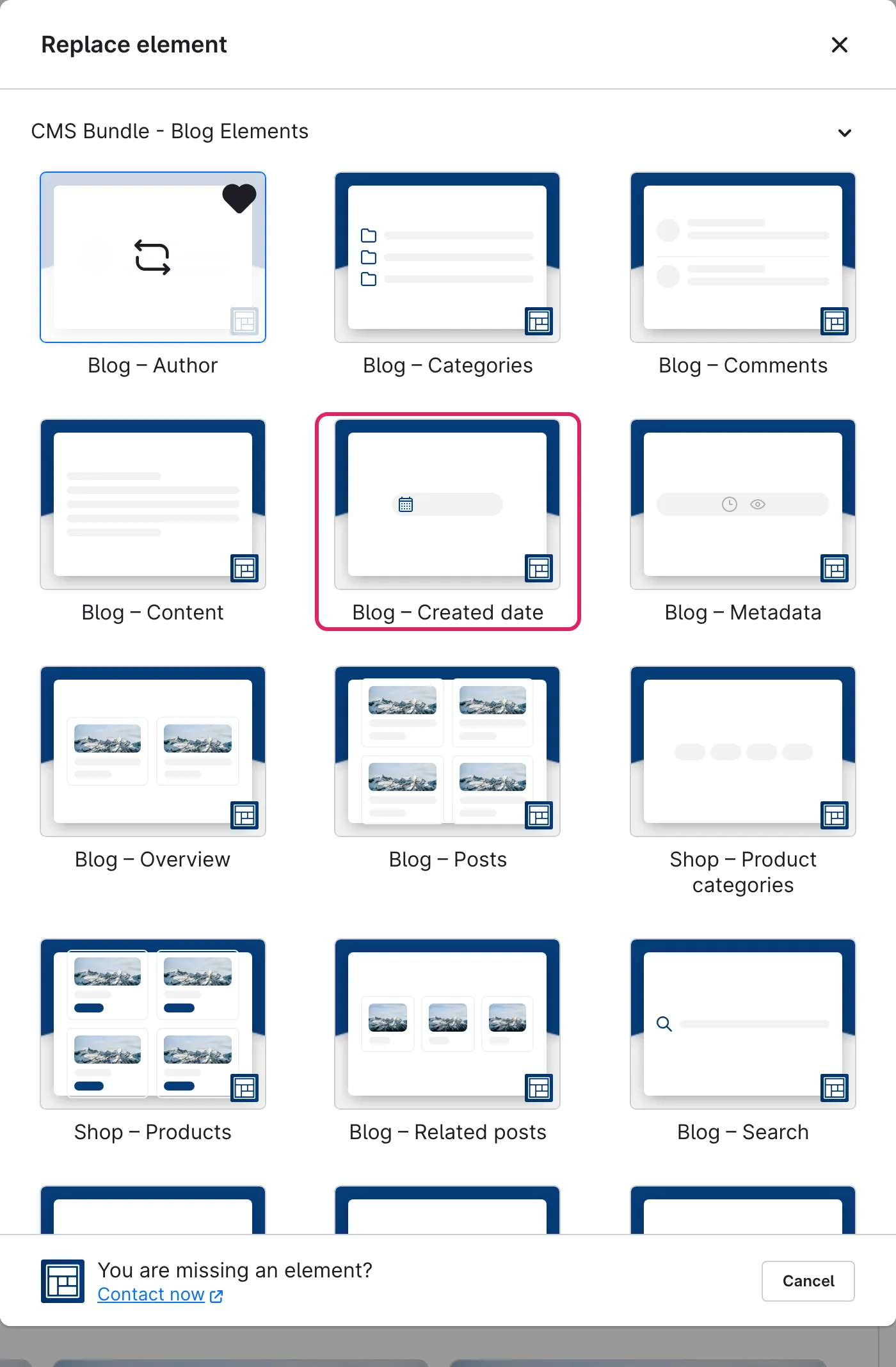
Use Shopware's **element picker** (the **Replace element** button) to add the **Date** element at the desired position – the field outlined in red.

<figure><img src="https://118894700-files.gitbook.io/~/files/v0/b/gitbook-x-prod.appspot.com/o/spaces%2Fhdsmo3ttoHQpDlitXnzA%2Fuploads%2Fgit-blob-ac7b7e9142186c0fa042526956e9144081288e2a%2Fblog-datum-auswahl.webp?alt=media" alt=""><figcaption></figcaption></figure>

<figure><img src="https://118894700-files.gitbook.io/~/files/v0/b/gitbook-x-prod.appspot.com/o/spaces%2Fhdsmo3ttoHQpDlitXnzA%2Fuploads%2Fgit-blob-bfac9f5b768f7b4f8eb970e64a8f55387472f891%2Fblog-datum-beispiel.webp?alt=media" alt=""><figcaption><p>Example in the storefront: publication date with a leading text</p></figcaption></figure>

### Element settings

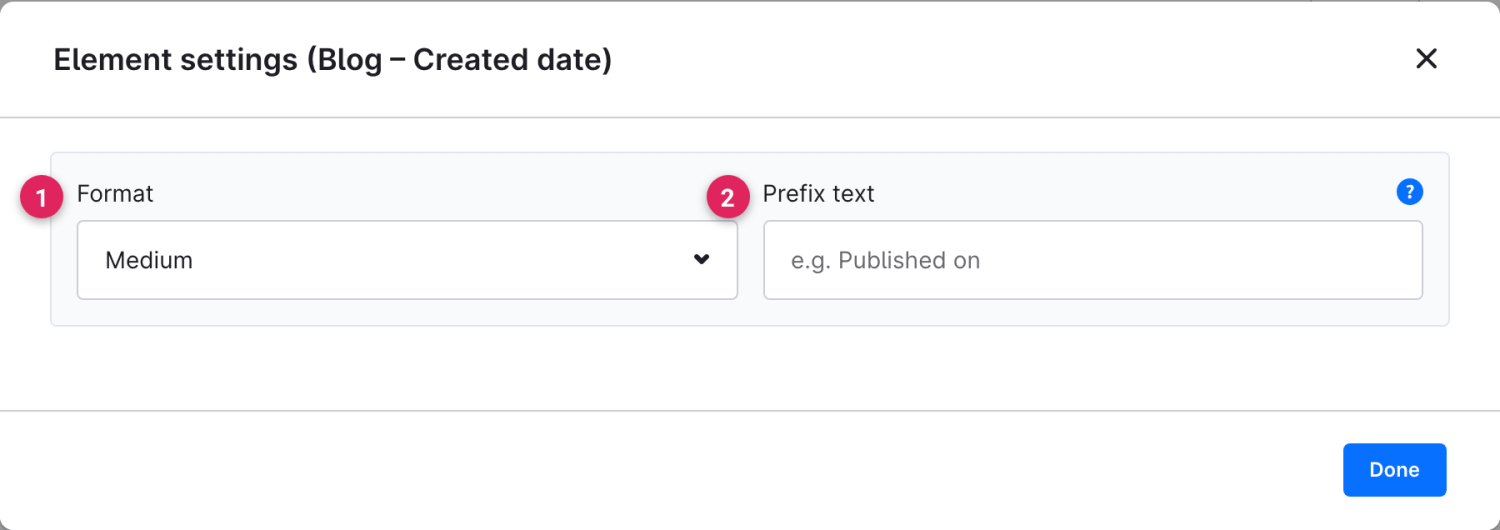
In the configuration area you set the date format and an optional leading text.

<figure><img src="https://118894700-files.gitbook.io/~/files/v0/b/gitbook-x-prod.appspot.com/o/spaces%2Fhdsmo3ttoHQpDlitXnzA%2Fuploads%2Fgit-blob-7dc143932a1d21bbabb1d2233254a9cce348c659%2Fblog-datum-einstellungen.webp?alt=media" alt=""><figcaption></figcaption></figure>

<table><thead><tr><th width="287">Function</th><th>Description</th></tr></thead><tbody><tr><td>Format (1)</td><td>How the date is output. See the table below for the available formats.</td></tr><tr><td>Prefix text (2)</td><td>Text placed in front of the date, e.g. "Published on". Leave empty if only the date should appear.</td></tr></tbody></table>

<table><thead><tr><th width="287">Format</th><th>Description</th></tr></thead><tbody><tr><td>Short</td><td>Numeric short form, e.g. 10/06/2026.</td></tr><tr><td>Medium</td><td>Compact notation of the date.</td></tr><tr><td>Long</td><td>Spelled-out date with the month name, e.g. 10 June 2026.</td></tr><tr><td>Relative</td><td>Relative to the present, e.g. "3 days ago".</td></tr></tbody></table>