> For the complete documentation index, see [llms.txt](https://docs.rh-webdesign.com/cms-bundle/llms.txt). Markdown versions of documentation pages are available by appending `.md` to page URLs; this page is available as [Markdown](https://docs.rh-webdesign.com/cms-bundle/elemente/produktdartstellung/varianten-tabelle.md).

# Varianten - Tabelle

Die **Varianten - Tabelle** listet sämtliche Varianten eines Produkts in einer kompakten Tabelle auf – mit Variantenbezeichnung, Lieferzeit, Preis und einem direkten **„In den Warenkorb"**-Button je Zeile. So wählen deine Kunden die gewünschte Ausführung (z. B. Farbe und Größe) auf einen Blick, ohne sich durch einzelne Varianten klicken zu müssen.

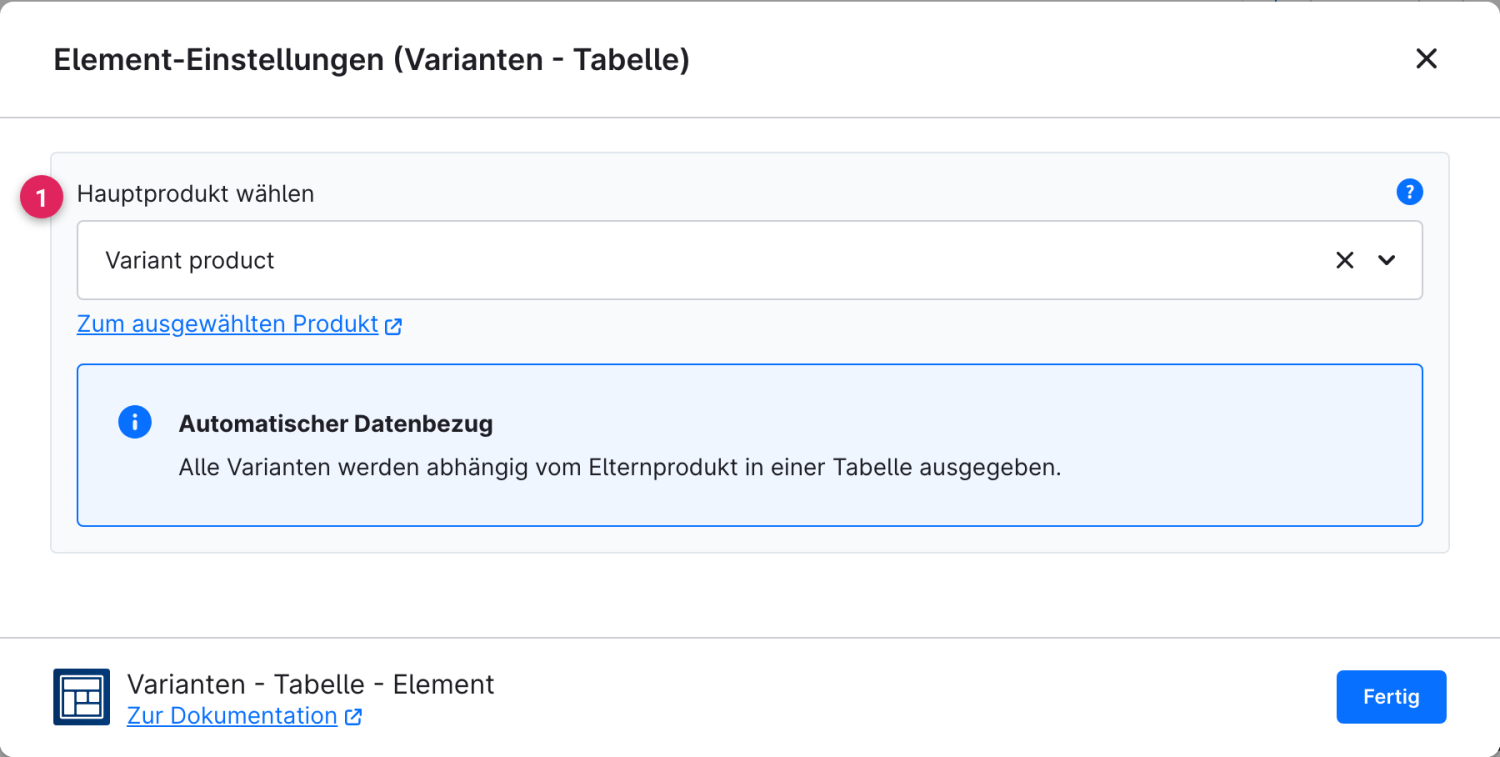
<figure><img src="/files/6zcj7mBMwJnZN1GKGVyI" alt=""><figcaption><p>Beispiel im Storefront: alle Varianten des Produkts mit Lieferzeit, Preis und Kauf-Button</p></figcaption></figure>

### Konfiguration

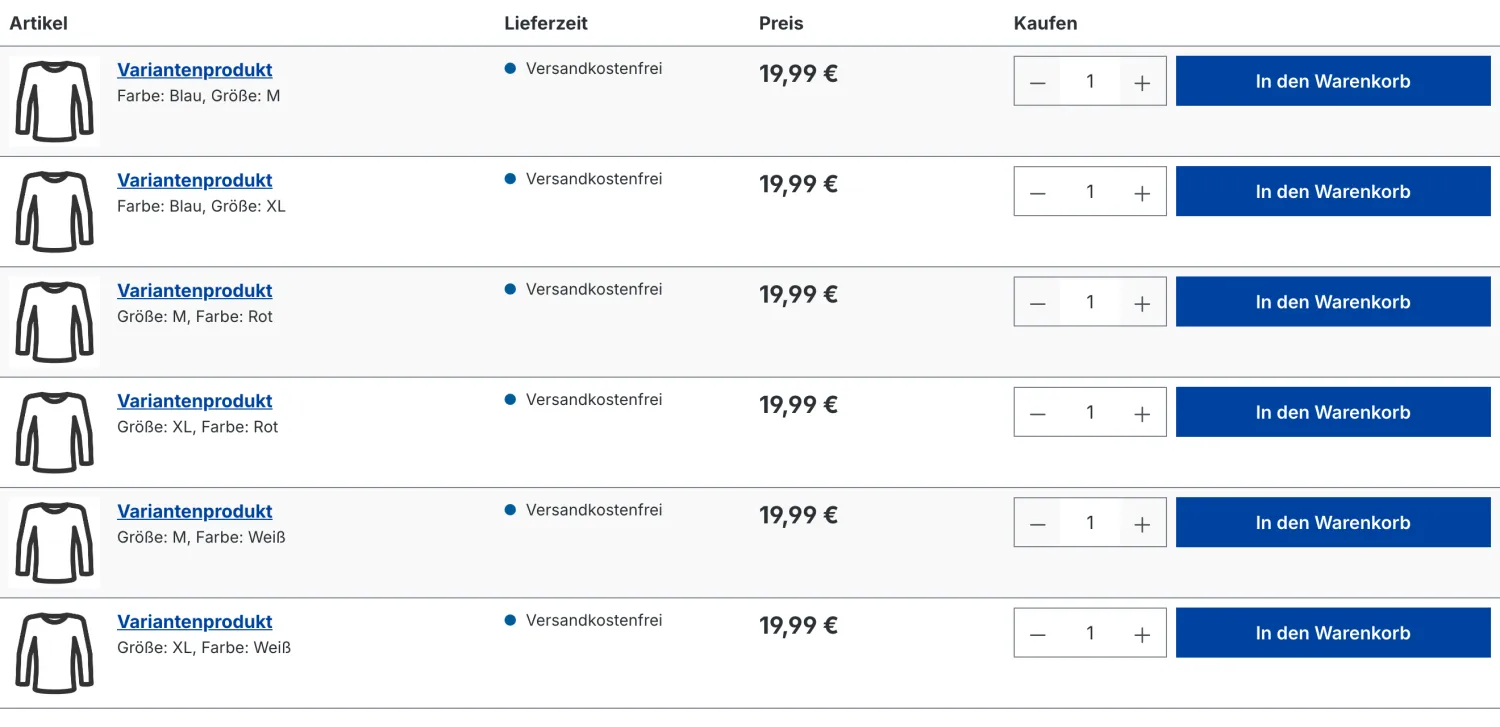
Das Element benötigt lediglich ein Elternprodukt – alle zugehörigen Varianten werden anschließend automatisch geladen.

<figure><img src="/files/hiAnU3ZDXOzkKVQ2h8G1" alt=""><figcaption></figcaption></figure>

<table><thead><tr><th width="287">Funktion</th><th>Beschreibung</th></tr></thead><tbody><tr><td>Hauptprodukt wählen (1)</td><td>Wähle das Elternprodukt aus, dessen Varianten dargestellt werden sollen. Über <strong>„Zum ausgewählten Produkt"</strong> springst du direkt zum Produkt in der Verwaltung.</td></tr></tbody></table>

{% hint style="info" %}
**Automatischer Datenbezug**

Du pflegst nur das Elternprodukt – sämtliche Varianten samt Lieferzeit, Preis und Kauf-Button werden automatisch aus dem Produkt übernommen. Neue Varianten erscheinen ohne weiteres Zutun in der Tabelle.
{% endhint %}


---

# Agent Instructions
This documentation is published with GitBook. GitBook is the documentation platform designed so that both humans and AI agents can read, navigate, and reason over technical content effectively. Learn more at gitbook.com.

## Querying This Documentation
If you need additional information that is not directly available in this page, you can query the documentation dynamically by asking a question.

Perform an HTTP GET request on the current page URL with the `ask` query parameter, and the optional `goal` query parameter:

```
GET https://docs.rh-webdesign.com/cms-bundle/elemente/produktdartstellung/varianten-tabelle.md?ask=<question>&goal=<endgoal>
```

`ask` is the immediate question: it should be specific, self-contained, and written in natural language.
`goal` is optional and describes the broader end goal you are ultimately trying to accomplish on behalf of the user. GitBook uses it to tailor the answer towards what is most useful for that goal.

The response will contain a direct answer to the question and relevant excerpts and sources from the documentation.

Use this mechanism when the answer is not explicitly present in the current page, you need clarification or additional context, or you want to retrieve related documentation sections.